MotoFlow 3.3: Sharper Ride Data and a Roomier Mac
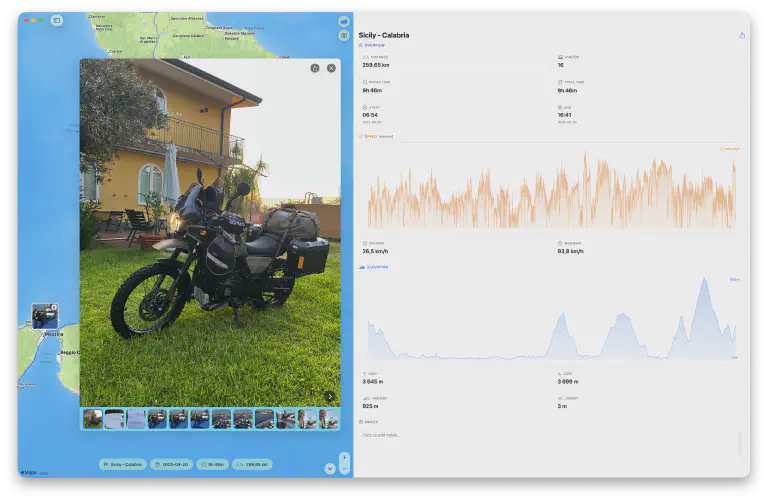 MotoFlow 3.3 in true full screen on the Mac - browse a ride’s photos on the route while the Speed and Elevation graphs fill the wide statistics panel
MotoFlow 3.3 is a sharpening release. It doesn’t add a big new headline feature - instead it makes the numbers you already rely on truer, opens and exports your biggest rides noticeably faster, and gives the Mac app the room and stability it deserves on a large display.
Here’s what’s new.
Truer Numbers on Every Ride
Three quiet fixes that change what your ride data actually says.
Cleaner pauses and stops. Pausing and resuming near where you stopped used to occasionally merge your two legs into one. Now the cleaned map line, your distance and elevation totals, and exported GPX all keep the segments on either side of a pause distinct. And the cluster of jittery points recorded while you slowly shuffle the bike around at a standstill is trimmed from the start and end of every ride - on the map, in your distance total, and in exported GPX. Genuine slow riding is always kept; only the confined, going-nowhere maneuvering gets removed.
Believable top speeds. The speed graph and your recorded top speed no longer get thrown off by GPS signal loss. Impossible spikes - and the multi-point “plateaus” that appear when GPS re-acquires after a tunnel - are removed, so the graph scales to your real peak and stays readable. No more phantom 252 km/h reading after a tunnel. Rides recorded with real GPS speeds keep their true peak; for imports without recorded speeds, the maximum reflects your fastest sustained few seconds.
Smarter GPX imports. Imported GPX files without recorded speeds now get smooth, realistic speeds calculated from the shape of the track rather than raw point-to-point jumps - Garmin Tread App™ imports in particular look far more believable. And files from some Garmin exporters that use timestamps without a timezone now import with their real recording times preserved, instead of being silently stamped with the time you imported them.
Faster Big Rides
Large rides now open, chart, and export noticeably faster. MotoFlow no longer re-processes an unchanged ride every time you view it, so opening, scrolling, and exporting big rides stays smooth even with a large library. Browsing big photo collections stays responsive too, and thumbnails on the multi-ride map appear as soon as they finish loading.
A Roomier, Sharper Mac
The Mac app is where 3.3 is most visible.
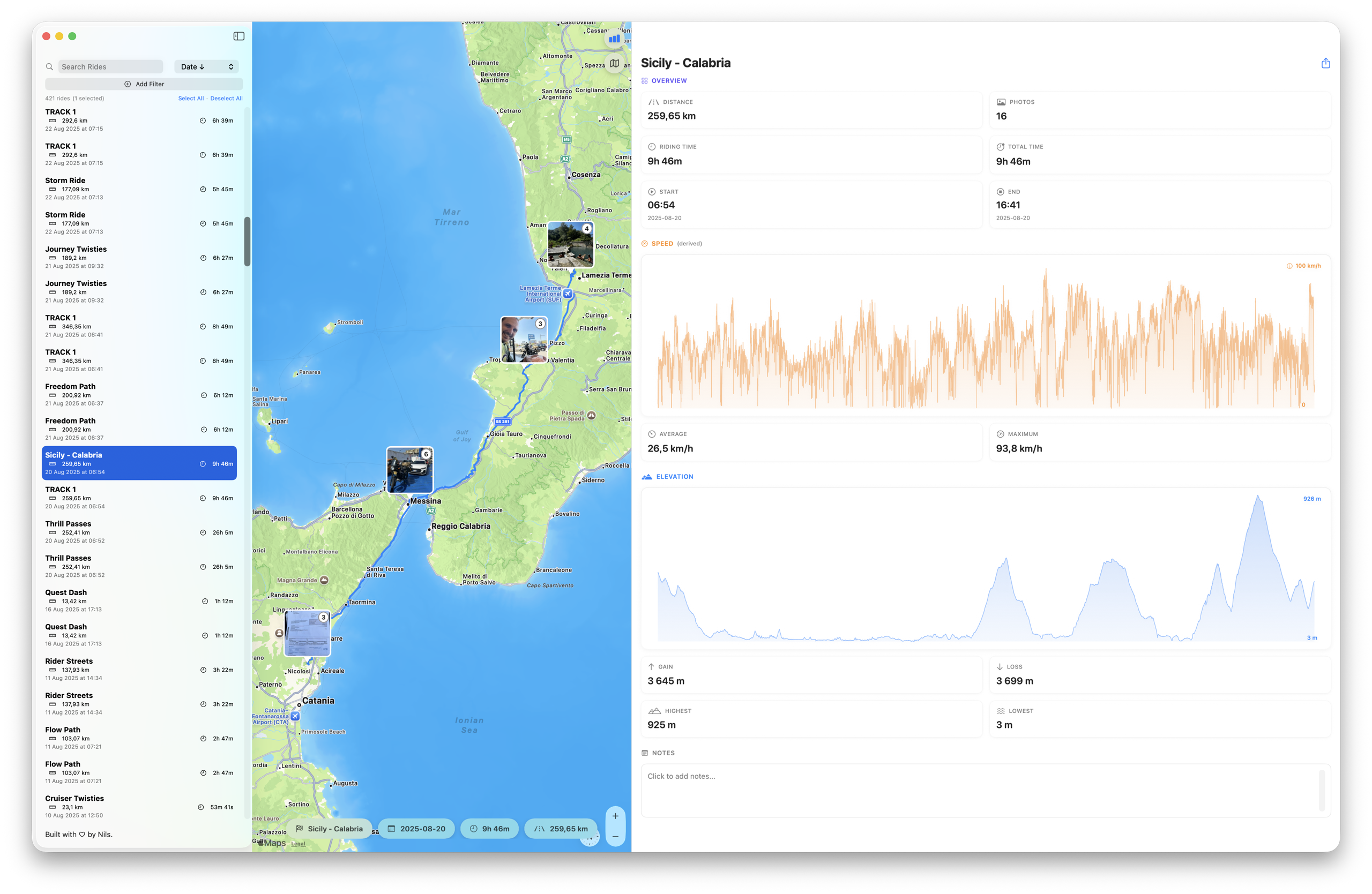
On large displays the statistics panel widens far further, and the Speed and Elevation graphs grow right along with it - your chosen widths are remembered between launches
Wider panels, bigger graphs. On large and 4K displays you can now make the ride list wider and the statistics panel much wider - it keeps widening until the map reaches a usable minimum. The Speed and Elevation graphs grow right along with the panel for easy reading, and your chosen widths are remembered between launches.
True full screen. Full screen now fills the entire display. The empty bar across the top - which used to cover the map controls - is gone. The toolbar tucks away for an immersive view and slides back in when you move the pointer to the top edge, and the ride title stays pinned at the top of the statistics panel as you scroll.
Stable windows and per-window menus. Resizing the ride list or the statistics panel no longer resizes the window - the panels share the space inside the window, and dividers stop at the edge of the available space. The window itself resizes only when you resize it directly, down to a minimum that always keeps the whole layout on-screen. And Ride menu commands (import, export, delete) now act only on the window you’re working in, instead of every open window at once.
Cleaner bulk export. Bulk GPX export no longer silently drops rides: rides that share a name and start time each get their own file, any ride that can’t be exported is reported by name, and re-exporting over an existing archive now works. Full-screen photos also sharpen much faster, even when your Mac is busy.
Rate and Reach Us
Small additions that make MotoFlow easier to live with, on both platforms:
- Rate MotoFlow right from Settings - and after a great ride, a gentle nudge to leave a review if you’re enjoying the app.
- The feedback email now arrives with your device, system, and app version already filled in, so getting help is quicker.
- A quick link to the MotoFlow website, right in Settings.
More Reliable
- The app no longer crashes at launch when the ride database is briefly unavailable - it retries automatically and shows a clear message if the problem persists. Your rides stay untouched either way.
- Deleting several selected rides now removes all of them, not just the first - and the confirmation tells you how many are about to go.
- Settings opens without freezing while it gathers your ride, GPS-point, and storage figures.
- Your Apple Watch now tells you when a tracking command didn’t reach your iPhone, instead of failing silently.
Get MotoFlow 3.3
Free update for existing users. New riders can start on the free tier.

What’s Next
3.3 is about trust - truer numbers, faster handling of your biggest rides, and a Mac app that stays out of your way. If there’s something you’d like MotoFlow to do next, reach out. This app is built rider to rider, and that’s still the best way it gets better.
Common Questions
Is MotoFlow 3.3 a free update?
Yes. If you already own MotoFlow or Open Road Edition, version 3.3 is a free update on both iOS and Mac. Nothing new to buy.
Do I need to re-import my rides for the truer speeds and cleaner stops?
No. Your existing rides keep their recorded data, and the improved top-speed handling, pause/stop cleanup, and import-speed calculation apply automatically as you view and export rides.
Why did my top speed change after updating?
MotoFlow 3.3 rejects impossible GPS spikes and plateaus from signal loss - the kind you get coming out of a tunnel. Your speed graph and recorded top speed now reflect your real peak instead of a phantom reading.
Will the Mac panel changes affect my saved layout?
Your chosen ride-list and statistics-panel widths are now remembered between launches. On large and 4K displays you can widen them much further, and resizing a panel never resizes the window or pushes the map off-screen.
Get the Update
MotoFlow 3.3 is available now on the Mac App Store and the iOS App Store. It’s a free update for existing users.
New to MotoFlow? The free tier lets you try everything. Open Road Edition unlocks your full archive for a one-time purchase - no subscription.
Same ride. Truer numbers. More room to see it all.
Get MotoFlow Today!
Track the ride. Relive the journey.